
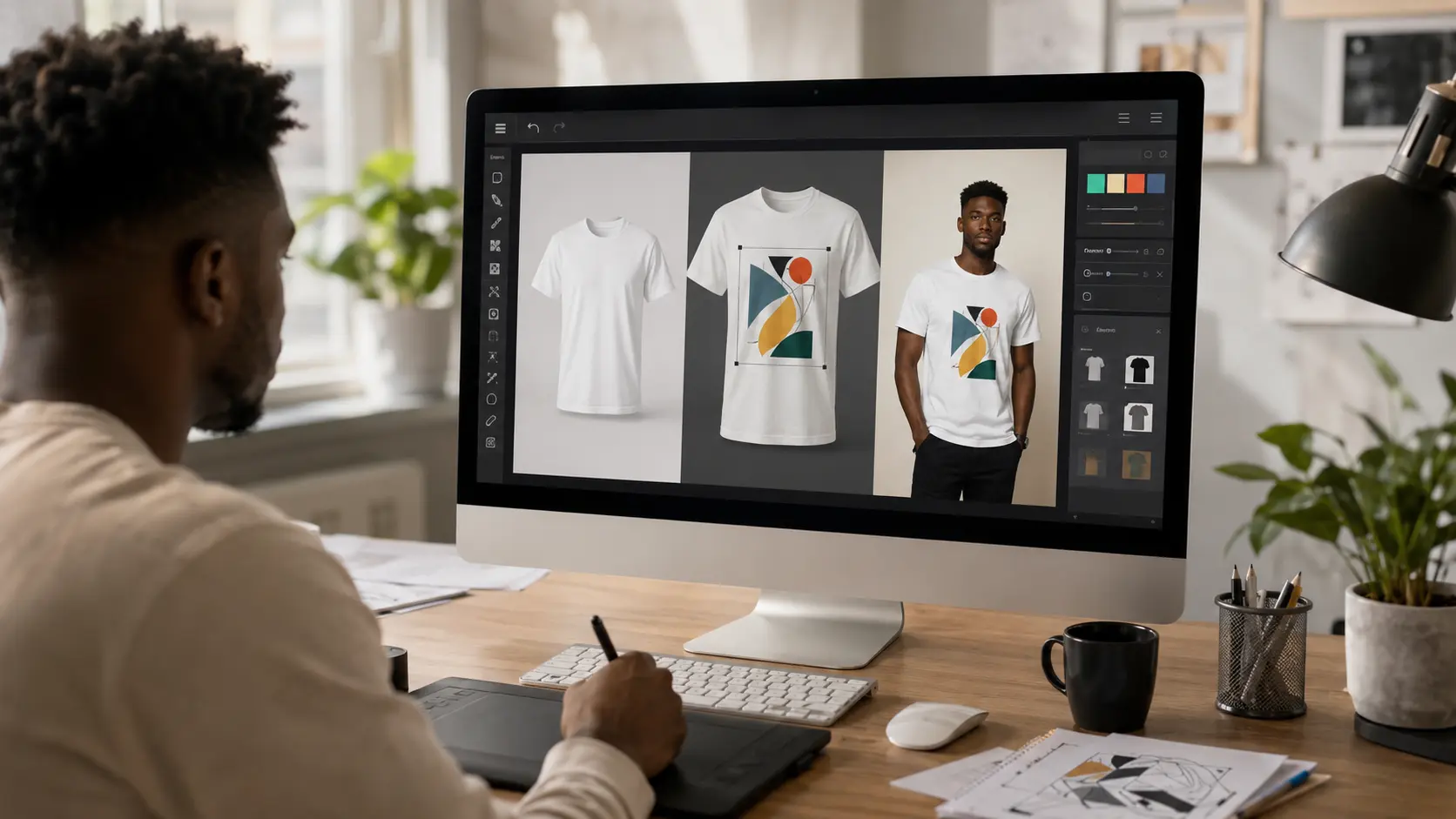
Create realistic T-shirt mockups in minutes with Osiomax and showcase your designs before printing.
Whether you're starting a clothing brand selling on Etsy or Shopify or just showing off a T-shirt design a good mockup can make all the difference. Instead of printing shirts booking a photoshoot and waiting days for final photos you can create realistic product images in just a few minutes.
A T-shirt mockup lets you see how your design will look on a real garment before its ever printed. It's one of the ways to present your work professionally test different colors and create product images that are ready for your online store, social media or marketing materials.
In this guide you'll learn how to make a T-shirt mockup from start, to finish what you'll need before you begin and a few simple tips that can make your mockups look more realistic. We'll also show you how you can create high-quality T-shirt mockups using Osiomax without needing Photoshop or any advanced design experience.
What Is a T-Shirt Mockup?
A T-shirt mockup is a picture of a T-shirt with your design on it. This picture shows what the T-shirt will look like when it is made. You do not have to make the T-shirt to see what it will look like.
You can use a T-shirt mockup to see what your design looks like on T-shirts. For example if you made a logo for a T-shirt you can use a website like Osiomax to see what it looks like on different colors and styles of T-shirts. You can move the logo around on the T-shirt until it looks just right.
Using a T-shirt mockup is a lot easier than taking a picture of a T-shirt. You do not have to make the T-shirt or hire someone to take a picture of it. This makes it a lot faster and cheaper to make pictures of T-shirts especially if you are still working on your design.
T-shirt mockups are very useful, for people who sell T-shirts online. This includes people who have their clothing brand people who sell T-shirts that they make themselves and people who design T-shirts for others. T-shirt mockups help these people show what their T-shirts will look like without having to make them.
Why Use a T-Shirt Mockup?
A T-shirt mockup helps you present your designs professionally without the time and expense of producing physical samples. Whether you're creating your first design or managing hundreds of products, mockups make it much easier to bring your ideas to life.
One of the biggest advantages is speed. Instead of waiting for a shirt to be printed and photographed, you can upload your design, place it on a T-shirt, and have a polished product image ready in minutes. That means you can launch new products faster or quickly test different design ideas before committing to production.
Mockups also give you the freedom to experiment. You can see how your design looks on black, white, or colored shirts, compare different placements, and make small adjustments until everything feels right. If something doesn't work, you can change it instantly without wasting time or money.
For online sellers, mockups are an easy way to build product listings before holding any inventory. Many print-on-demand businesses use them to showcase products on platforms like Shopify and Etsy, while designers use them to present concepts to clients in a way that's much more engaging than showing a flat image.
If you're using Osiomax, creating these previews is straightforward. Simply upload your artwork, choose a T-shirt mockup that matches your style, adjust the design, and export a high-quality image that's ready to share or sell.
Now that you know why T-shirt mockups are so useful, let's look at what you'll need before creating your first one.
What You'll Need
Before you create your T-shirt mockup, it's worth taking a minute to gather everything you'll need. Having the right files ready will make the process much smoother and help you get the best results.
Your T-Shirt Design
Start with the artwork you want to place on the T-shirt. This could be a logo, illustration, slogan, or any other design. A PNG file with a transparent background is usually the best choice because it allows your design to sit naturally on the shirt without a visible box or background.
A High-Quality T-Shirt Mockup
The quality of your mockup has a big impact on the final result. Choose a realistic T-shirt template with good lighting and clear details so your design looks as if it has actually been printed on the fabric. Osiomax offers a range of high-quality mockups that make it easy to create professional product images without any editing software.
A Clear Idea of Your Audience
Think about who you're creating the mockup for. If you're selling to a younger audience, a casual oversized T-shirt might be a better fit. If you're designing for a corporate event or a premium clothing brand, a different style may work better. Picking a mockup that matches your audience helps make your product feel more authentic.
Once you have your design and you've chosen the right mockup, you're ready to start creating. In the next section, we'll walk through the entire process step by step.
How to Make a T-Shirt Mockup
Creating a professional T-shirt mockup is easier than most people expect. With the right design and a good mockup generator, you can go from an idea to a polished product image in just a few minutes.
Step 1: Prepare Your Design
Begin by making sure your artwork is ready to use. A high-resolution PNG with a transparent background will give you the cleanest result. If your design includes text, double-check for spelling mistakes and make sure everything is sharp and easy to read.
Step 2: Choose a T-Shirt Mockup
Next, select a mockup that matches the style of product you want to showcase. Think about the type of shirt you're selling, the angle you want to display, and the overall look you're going for. A simple front-facing mockup is great for product listings, while lifestyle mockups can help customers picture themselves wearing the shirt.
If you're using Osiomax, you can browse different T-shirt mockups and choose the one that best fits your brand or design.
Step 3: Upload Your Design
Upload your artwork and place it onto the T-shirt. Most mockup generators, including Osiomax, automatically position the design on the shirt, giving you a solid starting point that you can fine-tune.
Step 4: Adjust the Size and Placement
Resize and reposition your design until it looks natural. A design that's too small may go unnoticed, while one that's too large can look unrealistic. Pay attention to the collar, seams, and overall balance so the print sits comfortably on the shirt.
Step 5: Try Different Shirt Colors
One of the biggest advantages of digital mockups is that you can preview your design on multiple shirt colors without creating separate products. Test a few combinations to make sure your artwork stands out and remains easy to see. Sometimes a small color change can completely transform the look of a design.
Step 6: Download Your Mockup
Once you're happy with the result, export your mockup in a high-resolution format. You can then use it for your online store, product listings, social media posts, advertisements, or client presentations.
With your mockup complete, there are still a few things you can do to make it look even more realistic. Let's look at some simple tips that can instantly improve the quality of your T-shirt mockups.
Tips for Creating Professional T-Shirt Mockups
A mockup doesn't have to be complicated to look professional. In most cases, it's the small details that make the biggest difference. Keeping a few best practices in mind will help your designs look more polished and believable.
Use High-Resolution Artwork
Always start with the highest-quality version of your design. If the original artwork is blurry or pixelated, the mockup will be too. Crisp, high-resolution graphics make your finished product look much more professional.
Match the Design to the Shirt
Not every design works well on every T-shirt. A bold graphic might look great on a heavyweight black tee, while a minimalist logo may suit a lighter-colored shirt better. Choose mockups that complement your design rather than compete with it.
Keep the Placement Natural
Most chest prints sit slightly below the collar and are centered on the shirt. Take a moment to check the positioning before exporting your mockup. Even a small adjustment can make the design look much more realistic.
Think About Color Contrast
Your design should be easy to see at a glance. If you're placing dark artwork on a dark shirt or light artwork on a white shirt, important details can disappear. Try a few different shirt colors until you find the combination that gives your design the best contrast.
Preview Multiple Variations
Don't stop after creating just one mockup. Showing your design on different shirt colors or from different angles gives customers a better idea of what they're buying. With Osiomax, you can create multiple variations quickly, making it easy to compare options before choosing your favorites.
Following these simple tips will help your mockups stand out, but there are also a few common mistakes that can make even a great design look unprofessional. Let's look at what to avoid next.
Common Mistakes to Avoid
Even a great design can lose its impact if it's presented poorly. The good news is that most mockup mistakes are easy to fix once you know what to look for.
Using Low-Quality Artwork
Uploading a small or low-resolution image is one of the most common mistakes. If your design looks blurry before you upload it, it won't become sharper in the mockup. Always use the highest-quality version of your artwork.
Making the Design Too Large
It can be tempting to make your design fill most of the shirt, but oversized prints often look unrealistic. Leave enough space around the edges so the design feels balanced and natural.
Ignoring Color Combinations
A design that looks amazing on a white T-shirt may not work as well on darker colors. Always preview your artwork on the shirt colors you plan to offer and make sure important details remain visible.
Choosing the Wrong Mockup Style
The mockup should reflect your brand and your audience. For example, if you're selling premium streetwear, a clean, modern mockup may be a better choice than a casual lifestyle scene. Selecting the right template helps customers connect with your product more easily.
Rushing the Final Check
Before downloading your mockup, take one last look. Check that the design is centered, the size feels right, and everything looks clean. Spending an extra minute reviewing your work can save you from uploading product images you'll need to replace later.
Avoiding these mistakes will help your T-shirt mockups look more polished and professional. If you're wondering whether mockups are enough on their own or if you still need real product photography, the next section will help you decide.
T-Shirt Mockups vs. Real Product Photography
Both T-shirt mockups and real product photography have their place. The right choice depends on where you are in your business and what you're trying to achieve.
If you're launching a new design, testing ideas, or running a print-on-demand store, mockups are usually the quickest and most affordable option. They let you create professional product images without printing samples or arranging a photoshoot.
Real product photography, on the other hand, shows the actual item exactly as customers will receive it. It's often used by established clothing brands that already have inventory and want to highlight the fabric, stitching, fit, and other small details that a mockup can't fully capture.
Here's a quick comparison:
| Feature | T-Shirt Mockups | Real Product Photography |
|---|---|---|
| Cost | Low | Higher |
| Time | Minutes | Hours or days |
| Physical sample required | No | Yes |
| Easy to test different colors | Yes | No |
| Best for | Print-on-demand, new products, online stores | Established products, brand campaigns |
For many businesses, it isn't a case of choosing one or the other. Mockups are often used to launch products quickly and validate demand, while professional photography is added later for best-selling products or marketing campaigns.
If you'd like a more detailed comparison, read our guide on Product Mockups vs. Product Photography: Which Should You Use? It explains the strengths and limitations of each approach and when it makes sense to use both.
Now that you know where mockups fit into the bigger picture, let's look at the people and businesses that use T-shirt mockups every day.
Who Uses T-Shirt Mockups?
T-shirt mockups aren't just for professional designers. They're used by anyone who wants to present custom apparel in a clean, professional way without the cost of producing physical samples.
Print-on-Demand Sellers
If you sell through print-on-demand services, mockups are an essential part of your workflow. They allow you to list products for sale before a single shirt has been printed, helping you launch new designs quickly and keep your store up to date.
Etsy and Shopify Store Owners
Many online sellers use mockups as their primary product images. Whether you're selling a single design or managing hundreds of products, mockups make it easy to create consistent listings that look polished and trustworthy.
Clothing Brands
New clothing brands often rely on mockups during the early stages of their business. Instead of investing in inventory and photoshoots, they can showcase upcoming collections, gather customer feedback, and even start taking orders before production begins.
Freelance Designers
Designers regularly use T-shirt mockups to present concepts to clients. Showing a logo or illustration on a realistic T-shirt helps clients visualize the finished product much better than looking at a flat design on a white background.
Marketing Teams and Content Creators
Mockups are also useful for creating social media posts, promotional banners, email campaigns, and advertisements. They provide a fast way to produce high-quality visuals whenever a new design or campaign is ready.
Whether you're selling your first custom T-shirt or managing an established apparel business, a good mockup helps your designs stand out and gives customers a better idea of what they're buying. With tools like Osiomax, creating those mockups takes just a few minutes, making it easy to spend more time designing and less time preparing product images.
Before we wrap up, let's answer some of the questions people ask most often about creating T-shirt mockups.
Frequently Asked Questions
Are T-shirt mockups free to create?
Yes, many mockup generators offer free T-shirt mockups. Depending on the platform, some templates or export options may be included for free, while others may require a paid plan. Osiomax offers free mockup creation, making it easy to turn your designs into professional product images without investing in expensive software.
Can I sell T-shirts using mockups?
Absolutely. In fact, many print-on-demand businesses use mockups as their product images before any shirts are printed. As long as your mockups accurately represent the final product, they're a practical and widely accepted way to showcase your designs online.
Do I need Photoshop to make a T-shirt mockup?
No. Modern mockup generators are designed to handle the process for you. Simply upload your design, adjust its placement, and export the finished image. You don't need any advanced design skills or photo editing software.
What file format should my design be?
A PNG file with a transparent background is usually the best option. It keeps the focus on your artwork and allows it to blend naturally with the T-shirt without any unwanted background.
Can I use the same design on different shirt colors?
Yes. One of the biggest advantages of digital mockups is that you can quickly preview your design on multiple shirt colors and styles. This makes it easy to decide which combinations look best before publishing your products.
What's the best size for a T-shirt design?
There's no single size that works for every design, but your artwork should be high resolution so it stays sharp when resized. Most mockup generators let you adjust the scale and position until the design looks balanced on the shirt.
Can I use T-shirt mockups for social media and advertising?
Yes. T-shirt mockups are commonly used for Instagram posts, Facebook ads, TikTok promotions, email campaigns, and online stores. They provide a professional way to showcase your products across different marketing channels without arranging a photoshoot.
Conclusion
Learning how to make a T-shirt mockup is a valuable skill for anyone selling or designing custom apparel. Instead of spending time and money on printed samples and professional photoshoots, you can create realistic product images that help customers visualize your designs before they're ever produced.
The process is simple: prepare your artwork, choose a quality mockup, position your design carefully, and export a high-resolution image. Paying attention to details like placement, color contrast, and image quality will make your mockups look more polished and help your products stand out.
Whether you're launching a clothing brand, running a print-on-demand store, selling on Etsy or Shopify, or presenting ideas to clients, professional mockups can save time and make your products look more appealing from day one.
If you're ready to create your own, Osiomax makes the process quick and straightforward. Simply upload your design, choose a T-shirt mockup, customize the placement, and download a realistic product image that's ready for your store, website, or social media.
The best way to improve your mockups is to start creating them. Experiment with different shirt colors, layouts, and design placements, and you'll quickly discover what works best for your brand and your audience.
Related Articles
Product Mockups vs Product Photography: Which Should You Use?
Discover the key differences between product mockups and product photography, th...
How to Create Professional Product Mockups
Making your products look good is easy when you use product mockups. They make y...
What Is a Mockup? The Complete Guide for Ecommerce Sellers and Designers
If you sell products online—whether through Shopify, Etsy, or your own website—y...