
Introduction
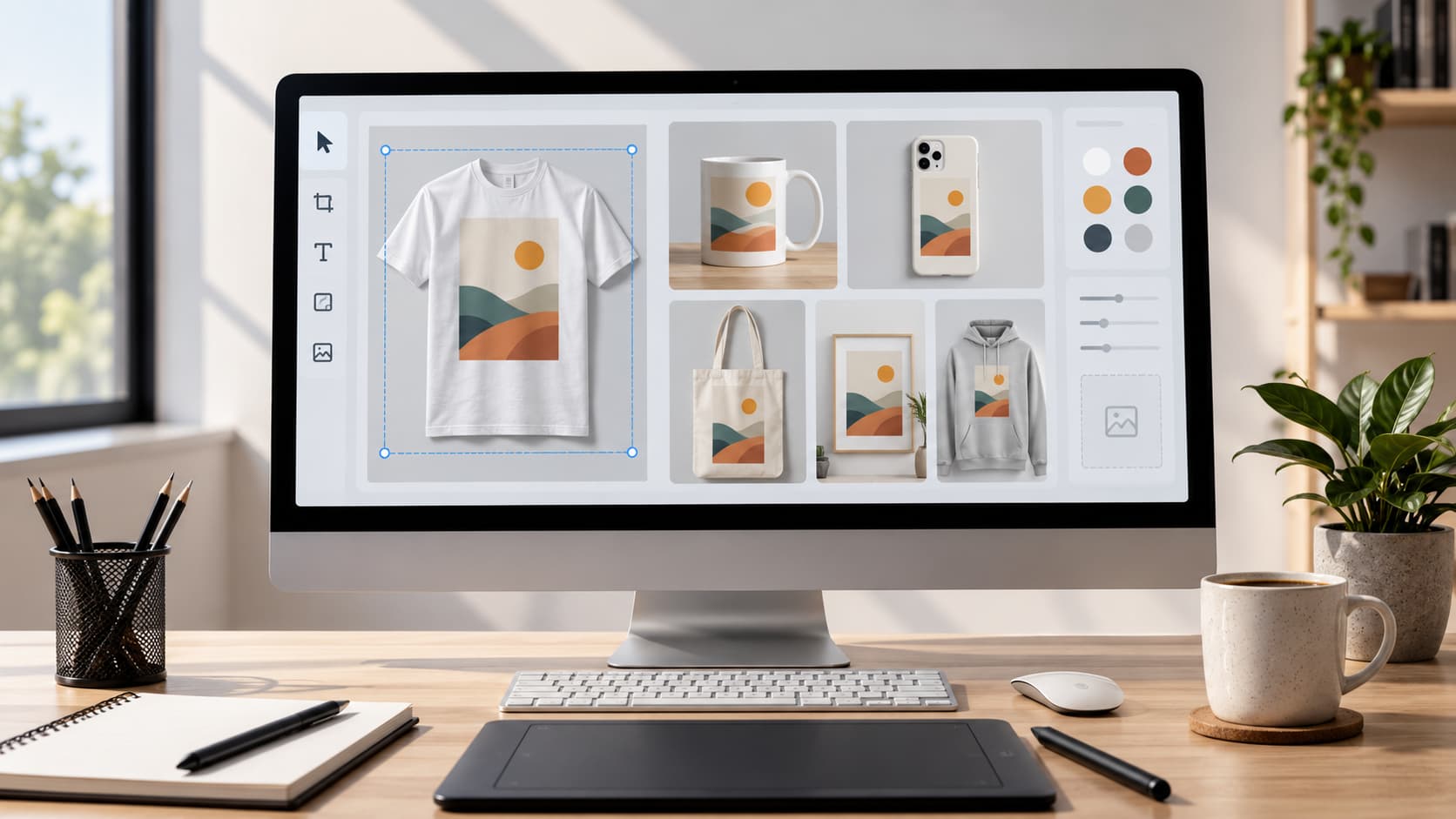
Making your products look good is easy when you use product mockups. They make your products look polished and trustworthy so people are more likely to buy them. If you have an online store or you sell products with custom designs or you advertise things on social media product mockups are really helpful. They let customers see what they are buying before they pay for it.
You do not have to spend a lot of money on photographers to take pictures of your products. You can use a product mockup generator to make pictures in just a few minutes. You can make mockups of t-shirts, hoodies, mugs, phone cases, tote bags, posters and many other things. Product mockups show your designs in a way that grabs peoples attention and makes them trust you. You can use them on your website or on Etsy or in your marketing campaigns or in your email newsletters or on media.
Good product mockups do more than just make your products look nice. They make your brand look better. They make shopping easier for your customers. They can also make people trust you more because they show your products, in life settings. For people who sell things online product mockups are often the thing customers see so the pictures have to be good if you want people to click on them and buy something.
In this guide you will learn how to make product mockups. You will learn how to do it step by step what makes a mockup look real what mistakes to avoid and how to make pictures that make your products stand out online. You will learn about product mockups and how to use them to help your business.
What Is a Product Mockup?
A product mockup is a picture of a product that shows what a design will look like on a real product. You can use a product mockup to make quality pictures of a product in just a few minutes. This way you do not have to make the product and take pictures.
People who sell things online people who make prints on demand designers and marketers use product mockups a lot. Product mockups help them see what their designs will look like on products like t-shirts, hoodies, mugs, bags, phone cases, posters, stickers and packaging before they are made or sold.
One good thing about product mockups is that they save you money on pictures. You do not have to make a product hire a photographer and edit pictures. You can use a product tool to make pictures that look professional and are ready to use on your website, social media or advertisements.
It is also important to know the difference between a product mockup and a real product picture. A real product picture is a picture of a product that was made and photographed. A product mockup is a picture that is made to look real. Good product mockup tools use quality templates, real lighting and real shadows to make pictures that look like real product pictures.
There are kinds of product mockups, such as:
Clothing mockups like t-shirts, hoodies and bags.
Drink mockups like mugs and bottles.
Tech mockups like phone cases and laptops.
Home mockups like posters and pillows.
Packaging mockups like boxes and labels.
Using product mockups helps customers see what the product will look like before they buy it. This makes product mockups very important, for people who sell things online. Product mockups help brands launch products quickly. Make them look good.
Why Professional Product Mockups Increase Sales
Professional product mockups are really good at making your products look nice. They also help people feel good about what they are buying. When people shop online they can not. Look at a product in person so the pictures you use are very important when they decide to buy something.
They Create a Strong First Impression
The pictures of your products are usually the thing that people notice. If you have quality mockups with nice lighting, clean backgrounds and sharp details your products will look very professional right away. When your products look nice people will want to stay on your page and learn more about what you're selling.
They Build Customer Trust
People are more likely to buy from companies that look like they know what they are doing. Professional product mockups make your products look the same on your website and on media and in other places. This helps people trust your company and remember who you are.
They Improve Conversion Rates
When people can see what they are buying they are more likely to buy it. If someone can easily imagine what a design will look like on a t-shirt or a mug they will be more confident when they place an order. There are a lot of things that can affect sales. Nice pictures can make people less unsure and more likely to buy.
They Save Time and Money
Taking pictures of products the way can be expensive and take a long time. You have to make a sample product and hire a photographer and edit the pictures.. With a product mockup generator you can make professional product mockups in just a few minutes without spending all that money. This makes it easier to try ideas and launch new products quickly.
They Speed Up Product Launches
If you are always adding products waiting for a photographer can slow you down.. With mockups you can show people your products as soon as you have a design ready. This is especially helpful for companies that make print-on-demand products because they can put designs in their online store right away.
They Work Across Multiple Marketing Channels
You can use one product mockup in a lot of different places. You can put it on your website. Share it on social media or use it in email or in ads or in other promotional materials. Making a few mockups of the same product like a close-up or a picture of someone using it can help keep your marketing fresh and make your company look consistent.
Investing time in making product mockups is not just about making things look nice. It is a way to make your products look better help people feel more confident and support your overall plan, for selling things online and marketing your company. Professional product mockups are a part of selling products online and they can really help increase sales of your products.
What Makes a Product Mockup Look Professional?
When you are making a product mockup it is very important that it looks good. A professional product mockup should look like the thing show your design clearly and make customers feel good about the quality of your product. If you pay attention to a few things you can make a product mockup that looks great and helps you sell more.
High-Resolution Designs
The design you use for your product mockup is very important. You should always use high-resolution pictures with edges and clear details. If you use low-quality pictures they might look blurry or weird when you put them on a product and that will make your product listing look bad.
Realistic Lighting and Shadows
Lighting and shadows are very important for making a product look real. A good product mockup should have lighting, shadows and textures that make the design look like it is really on the product not just stuck on there.
Correct Perspective
Your design should fit the shape and angle of the product. If you are putting a design on a t-shirt it should look like it is really on the t-shirt not just sitting on top of it. If you are putting a design on a mug it should look like it is wrapped around the mug. This makes the product mockup look more real.
Appropriate Backgrounds
A simple background is best for showing off your product. A white background is good for stores and a background that shows the product in use is good for helping customers imagine what it would be like to own the product. You should choose a background that goes well with your brand and does not distract from the product.
Accurate Product Placement
You should put your design in the place on the product. Make sure it is not stretched or cropped and make sure it is not too close to the edges. This helps customers see what the product will really look like when it is made.
Consistent Branding
If you sell a lot of products you should try to make all of your product mockups look similar. Use the kind of background, lighting and colors for all of your products. This makes your store look professional. Helps customers recognize your brand.
Showcase Multiple Views
You should show your product from angles. Show the front, back and sides. Show it being used. This helps customers understand what the product is like and makes them more likely to buy it.
Making a good product mockup is not about adding a lot of effects. It is, about showing your product in an realistic way. If you use high-quality designs, realistic templates and consistent branding you can make product images that really stand out and help you sell products.
Step-by-Step: How to Make Product Mockups Look Professional
Making professional product mockups is easier than you think. You do not need design skills or expensive software. Just follow a process and you can create realistic product images. These images are perfect for your store, marketplace listings or marketing campaigns.
Step 1: Prepare Your Design
Start with a version of your artwork. This can be a logo, illustration, typography or custom graphic. Make sure your design is large enough to look sharp on a product. If possible use a PNG file with a background. This way only your design appears on the product.
Before uploading your artwork check for spelling mistakes, unwanted backgrounds or low-resolution elements. A clean design is key to a looking mockup.
Step 2: Choose the Right Product Mockup
Pick a mockup that matches the product you want to sell. For example if you are selling t-shirts choose a t-shirt mockup. Do not use a generic apparel template. Use mockups for mugs, phone cases, tote bags, posters or packaging.
Think about your target audience. A simple studio mockup may work well for a brand. A lifestyle mockup can help customers imagine using the product in situations.
Step 3: Upload Your Artwork
Upload your design to the generator. Place it within the printable area. Online mockup tools let you drag, resize and reposition your artwork. Make sure it fits naturally on the product.
Take your time during this step. Small adjustments in size and placement can make a difference in the final result.
Step 4: Adjust the Position and Scale
Resize your design so it looks right on the product. Avoid making it too large or too small. If the mockup tool provides guides or a print-safe area use them. This ensures your design is positioned accurately.
Step 5: Preview the Mockup
Before exporting inspect the mockup closely. Check that:
* The design is centered correctly.
* Text is easy to read.
* Colors look right.
* The artwork follows the products curves and perspective.
* Nothing looks stretched, blurry or distorted.
If possible preview the mockup on product colors. This ensures your design looks good across all options.
Step 6: Export a High-Quality Image
Once you are happy with the mockup export it in resolution. Large sharp images make your products look professional. They also let customers zoom in without losing detail.
Keep the exported files organized. This way you can easily reuse them for your website, Etsy listings, Shopify store, social media posts, email marketing and advertising campaigns.
Step 7: Create Multiple Mockups for the Same Product
Do not rely on a product image. Create mockups showing different colors, angles and settings. For example you might include a view, back view, close-up detail and a lifestyle scene.
Providing views helps customers understand the product better. It can also improve engagement, with your listings.
By following these steps you can create product mockups. These mockups showcase your designs clearly strengthen your brand image and give customers the confidence to make a purchase.
Common Mistakes to Avoid
When you are making product images small mistakes can make them look bad. If you avoid these mistakes you can make product images that look real and make people want to buy your products.
Using Low-Quality Pictures
One big mistake is using a design that's not very good. If your picture is too small it will look blurry when you put it on a product. You should always use a high-quality picture so your product images look sharp and professional.
Making the Design Look Weird
If you make your design bigger or smaller without making sure it stays the shape it will look strange. Do not stretch your design to fit the space. Instead make it bigger or smaller so it still looks the same.
Choosing the Wrong Color for the Product
Your design should stand out on the product. For example if you have a design on a white t-shirt you will not be able to see it.. If you have a dark design on a black mug it will be hard to see. You should try your design on product colors to see which one looks best.
Putting the Design in the Wrong Place
If you put your design high or too low on the product it will look fake. Take your time to put your design in the place on the product and make sure it is centered.
Not Making it Look Real
Product images should look like products. If your design looks like it is floating on the product or it does not follow the shape of the product people will not think it is a product.
Using Different Styles for Each Product
If all your product images look different your store will not look very professional. If you use the style for all your products it will make your store look better and it will be easier for people to shop.
Making the Background Too Busy
If the background of your product image is too busy people will not be able to see the product. Whether you use a background or a picture of the product being used the product should always be the main thing in the picture.
Not Checking Before You Publish
Before you put your product images on your website or store you should check them carefully. Look for spelling mistakes make sure everything is lined up right and make sure your design is not cut off. If you take a few minutes to check your images you can avoid making mistakes that will cost you money.
Making product images is not about making them complicated. It is about keeping them simple and making sure they look real. If you use designs put them in the right place make them look real and use the same style, for all your products people will want to buy your products.
Best Product Mockups for Businesses
When you have a business you need to show your products in a way that looks good. This is why choosing the mockups is very important. If you use mockups that're specific to the product you are selling it helps your customers see exactly what they are buying. This makes the whole shopping experience feel more professional.
T-Shirt Mockups
A lot of people who sell things online or make print-on-demand products use t-shirt mockups. These mockups let customers see what the design will look like when it is worn without needing to take a photo. If you show the front, back and a close-up of the t-shirt it helps the buyer understand what the final product will look like.
Hoodie and Sweatshirt Mockups
Hoodies and sweatshirts are a bit different because they have folds, pockets and thicker fabric. This means that the design will look different on these products. If you use mockups they will show these details correctly so your customers can see what the finished product will look like.
Mug Mockups
Mug mockups are great for people who sell personalized gifts or want to promote their business. If you show the mug from angles it helps customers see how the design will look on the mug. This way they can appreciate how it will look when it is finished.
Tote Bag Mockups
Tote bags are popular for fashion brands and as accessories. If you use mockups that show someone carrying the bag it helps customers imagine what it would be like to use it in life.
Phone Case Mockups
If you sell custom phone accessories you need to use phone case mockups. A good mockup should clearly show how the design fits around the camera and the edges of the case.
Poster and Wall Art Mockups
Posters and wall art look better when you show them in a room. This helps customers see how the artwork would look in their home or office.
Choosing the Right Mockup for Your Audience
The best mockup is not always the one that looks the most impressive. It is the one that helps your customers understand what they are buying. You should think about where your customers will see the image of your product. Will it be on your website on media or in an advertisement? Choose mockups that fit your brand and show your products clearly. This will help your customers feel more confident and make your shopping experience more consistent.
By using the mockups for each type of product you can show your designs in a professional way and make it easier for customers to imagine owning your products. Product mockups are important for product categories, like t-shirts, hoodies, mugs and phone cases. Using the product mockups will make your products look better and help your customers understand what they are buying.
Asked Questions
What is the best way to create professional product mockups?
To create professional product mockups use a good mockup generator with real-looking templates.
Start with a design pick a product that matches what you're selling place your artwork carefully and save the final image in high quality.
This helps create a look. Consistent branding and real mockups make a difference.
Can I create product mockups without Photoshop?
Yes you can. Many online tools let you create product mockups without needing Photoshop or other design software.
Just upload your artwork move it around see how it looks and save the image.
Are product mockups suitable for ecommerce stores?
Absolutely they are. Product mockups are used by online stores to show products before they are made or photographed.
They are used on Shopify, WooCommerce, BigCommerce and other online store platforms.
This helps customers see what products look like before buying.
Can I use product mockups for Etsy?
Yes you can. Product mockups are popular among Etsy sellers those selling custom products like clothes, mugs, posters, phone cases, bags and stickers.
Good mockups make listings look better and help customers understand what they're buying.
Do product mockups improve sales?
Professional product mockups can help customers feel more confident by showing products realistically.
Better product presentation often leads to engagement and can help increase sales when combined with fair prices, good descriptions and positive reviews.
What file format should I use for my design?
PNG is a format because it supports transparent backgrounds.
This lets you place your artwork on a product without a background.
Always use a high-quality version of your design.
What resolution should product mockups be?
The ideal resolution depends on where you'll use the mockup.
For stores high-quality images that stay sharp when customers zoom in work best.
If you're using mockups for media or ads export them according to the recommended image sizes for each platform while keeping good quality.
What's the difference between a product mockup and a product photo?
A product mockup is an image of a product with your design on it while a product photo is an image of a real product.
Mockups are faster and cheaper to make making them ideal for product launches testing designs and custom product businesses.
Can I use the mockup, for every product?
It's better to use mockups that accurately show each product.
Different products have shapes, materials and print areas so using product-specific mockups creates a more realistic shopping experience and helps customers know what to expect.
Final Thoughts
Making product mockups is a good way to show your products online. If you sell things like clothes, cups, phone covers, posters, boxes or other custom stuff good mockups help buyers see what they're getting and make a first impression.
To make your product images look good and professional use high-quality artwork pick mockups that look real put your designs in the place and keep your branding consistent. Don't make mistakes and show your products from different angles to make the shopping experience better and help buyers trust you more.
Good product mockups are not just for stores. They're also useful for social media, online ads, emails, product launches and presentations to clients. Spending a bit time making better product images can make a big difference in how people see your brand.
If you want to make product mockups Osiomax makes it easy. Upload your design customize it on looking mockup templates and export images that are ready, for your website, online marketplaces or marketing campaigns. Whether you're starting your online store or growing an existing brand the right mockups can help your products stand out.
Now that you know how to make product mockups it's time to try these techniques and start making product images that grab attention build trust and show your products at their best.
Related Articles
How to Make a T-Shirt Mockup
Learn how to make a professional T-shirt mockup in minutes. This step-by-step gu...
Product Mockups vs Product Photography: Which Should You Use?
Discover the key differences between product mockups and product photography, th...
What Is a Mockup? The Complete Guide for Ecommerce Sellers and Designers
If you sell products online—whether through Shopify, Etsy, or your own website—y...